v0.4.0
Release v0.4.0: 2026-11-08
This release brings mobile cosigners and HD-MPC child wallets to MPC wallets, adds unusual activity detection for API keys, and expands policies, the audit log, and plan usage. It also ships a broad security hardening pass across sessions, API keys, approvals, and signing.
This release contains breaking changes for API clients. Read Breaking Changes before upgrading.
Included updates:
- Apex Platform (v0.4.0)
- Fystack UI (v0.4.0)
New Features
Cosigners and Mobile App (Cloud Only)
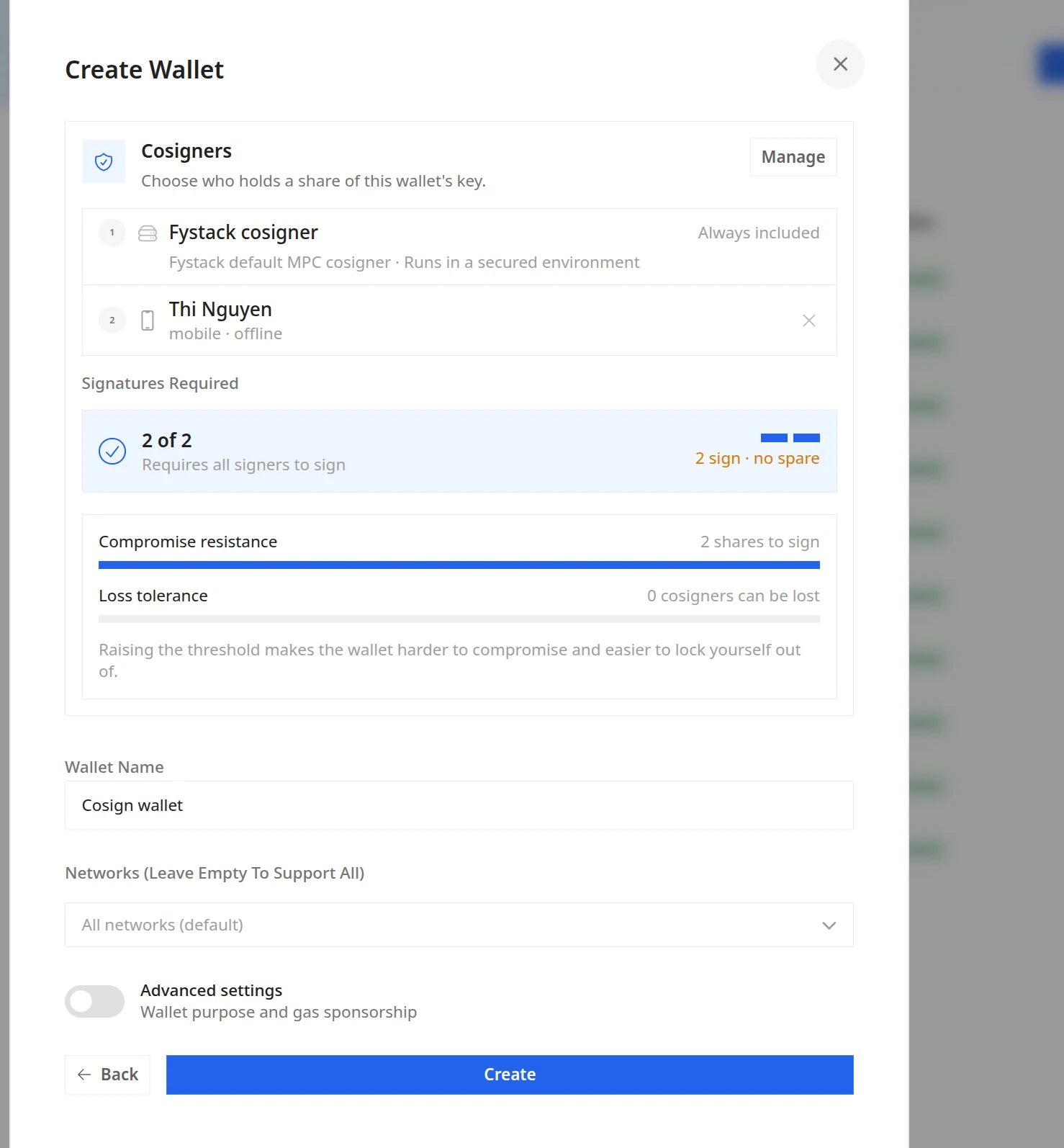
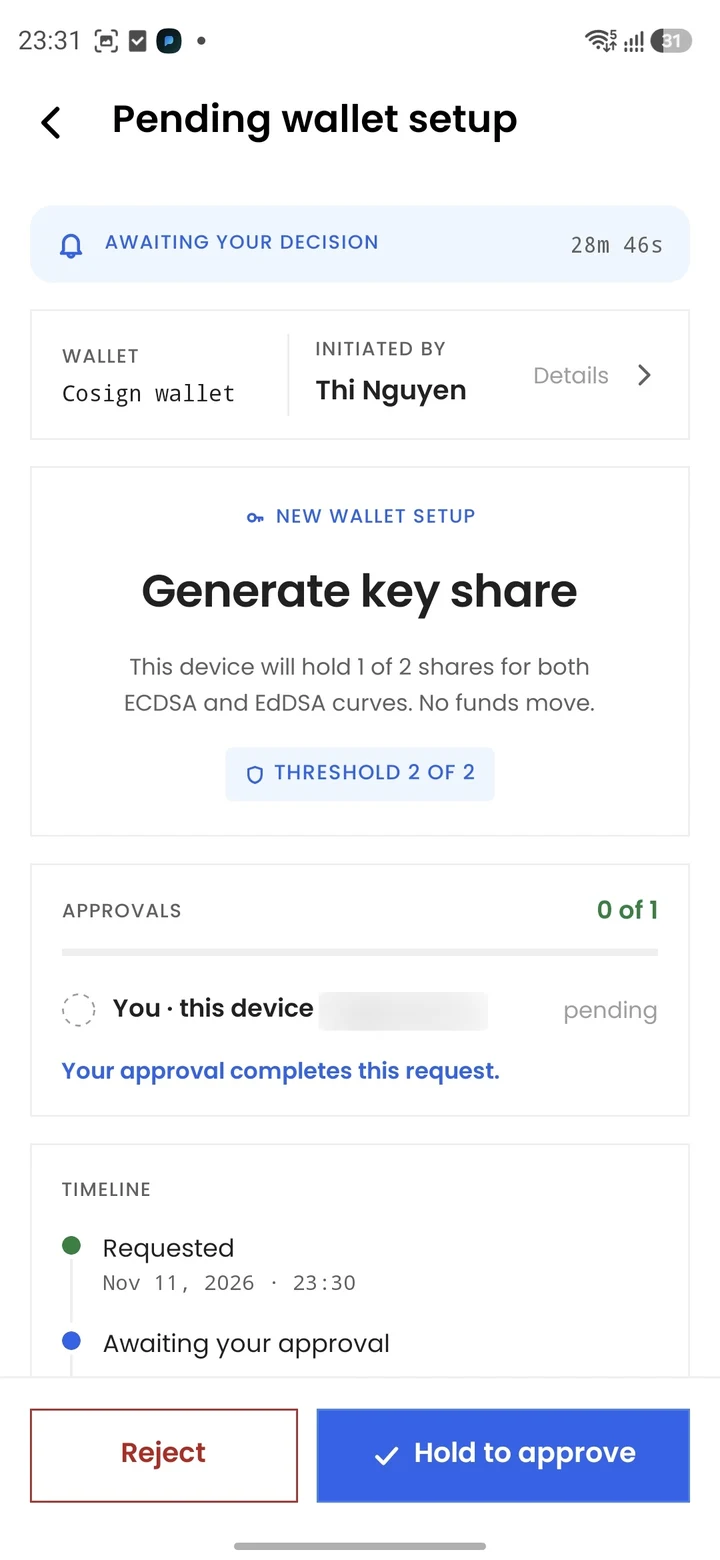
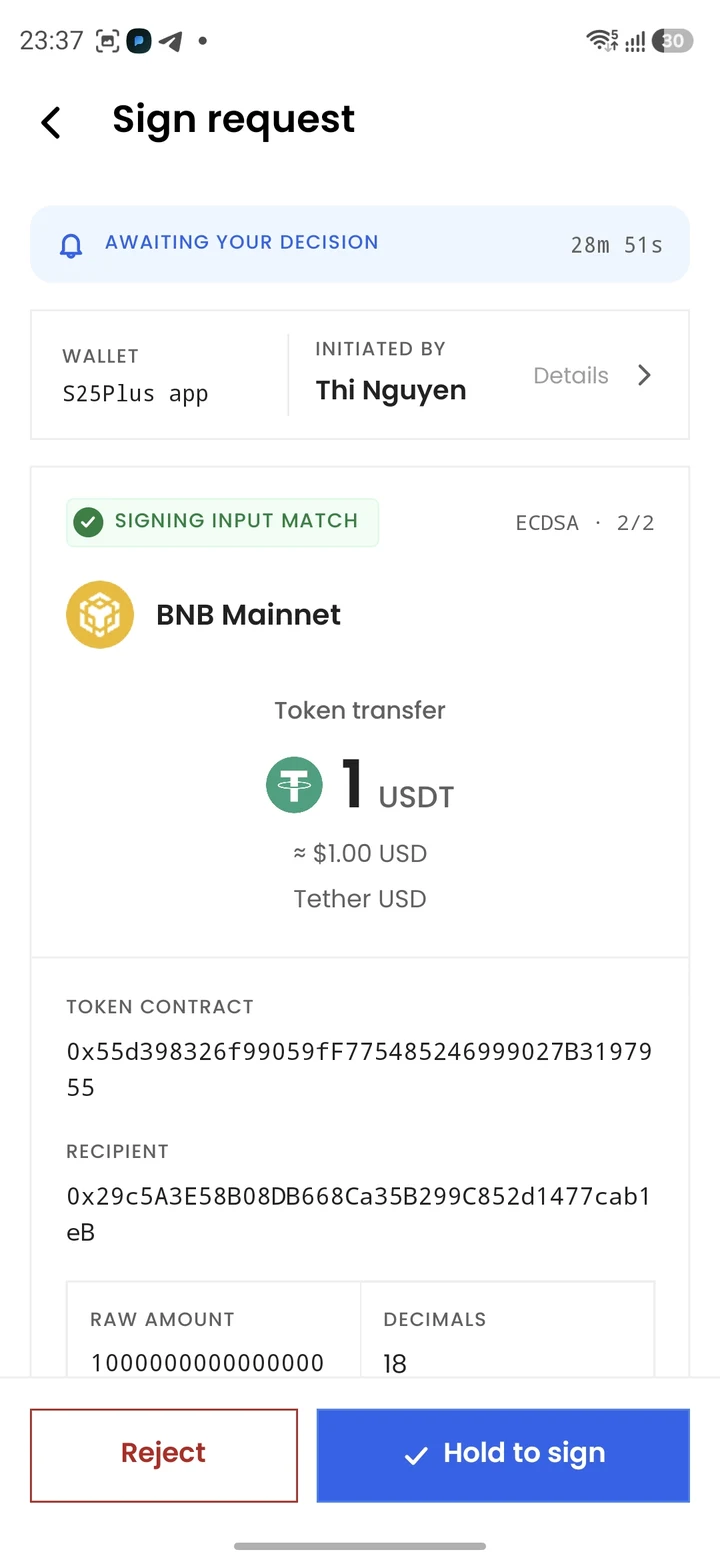
Pair a phone as a cosigner on an MPC wallet, so a signature also needs approval on that device.
Highlights:
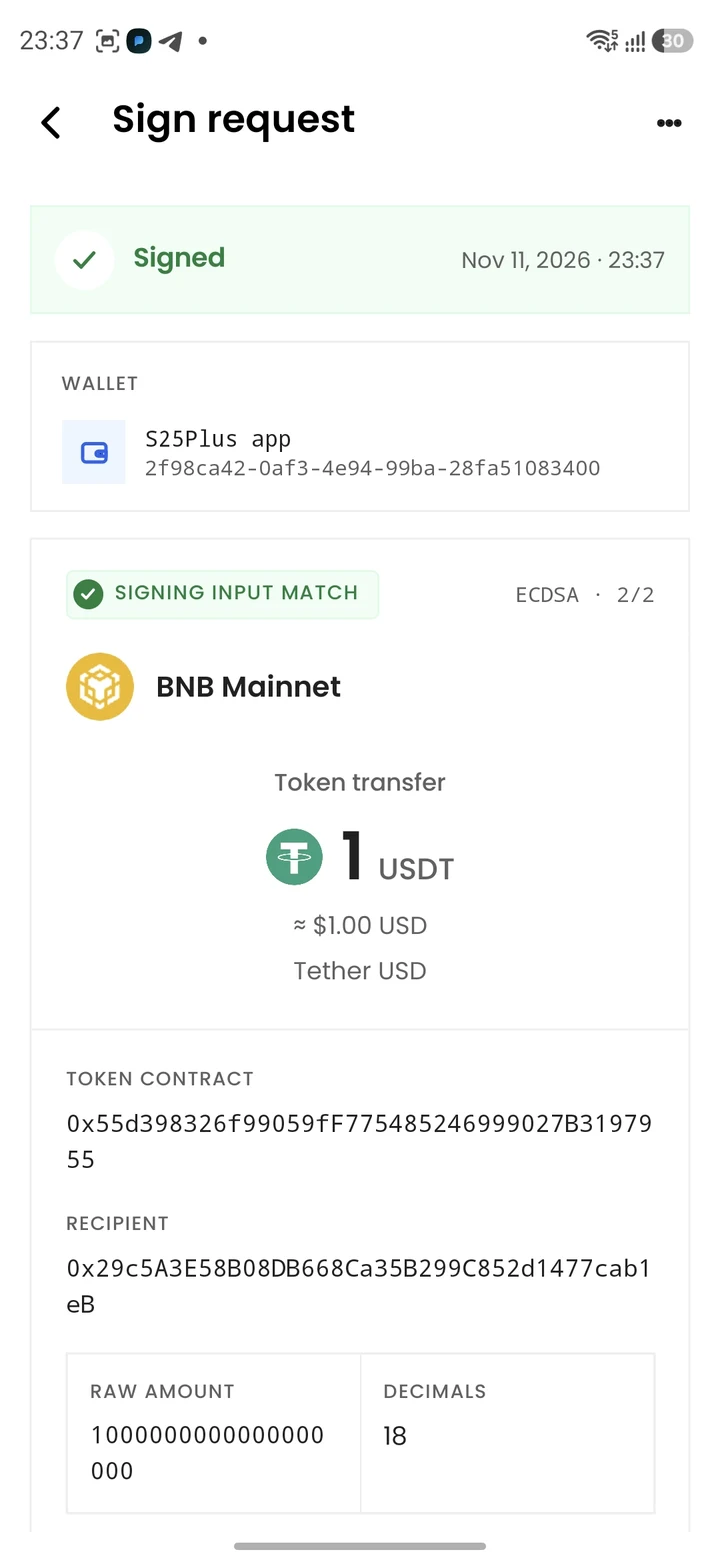
- Signing waits for the cosigner to approve on the phone
- The mobile approval list stays in sync with withdrawals and approvals in the dashboard
- Signing requests queue per wallet instead of failing when another request is in progress
- Server cosigners are now in beta for all users, with an install guide for each OS
- The create-wallet modal groups wallet types into Managed and Co-signed tabs
- Co-signed wallets are capped at 3 signers in total
- Customer cosigners per wallet depend on the plan: Free and Pro allow 1, Growth and Enterprise allow 2
Mobile Cosigner
The Fystack Cosigner app holds a key share on your phone. Approve wallet setup and review each signing request before it is signed.
Server Cosigner (Beta)
Run a cosigner on your own server for automated signing. Register it from the Cosigner tab in the dashboard, then start it with cosigner-cli.
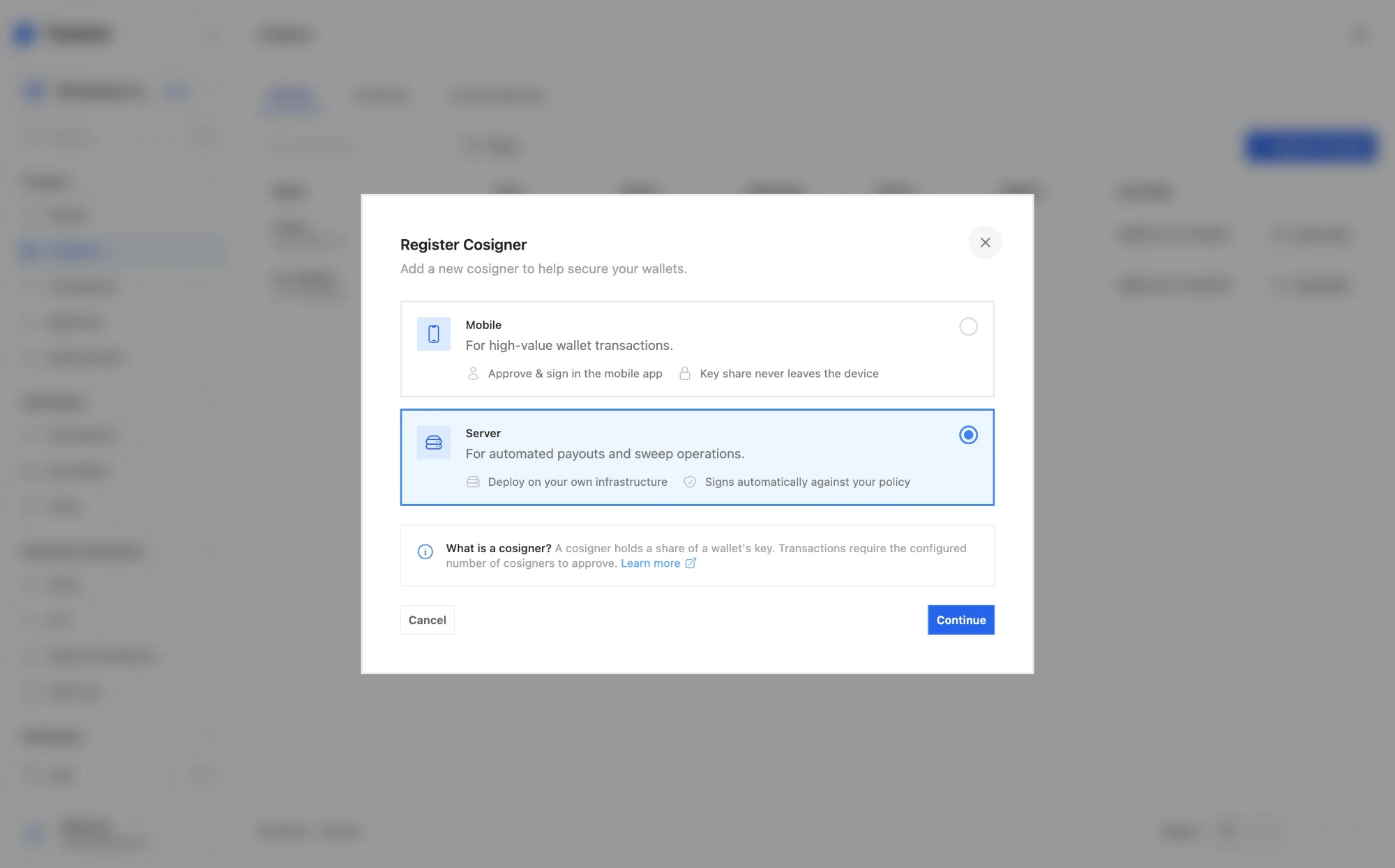
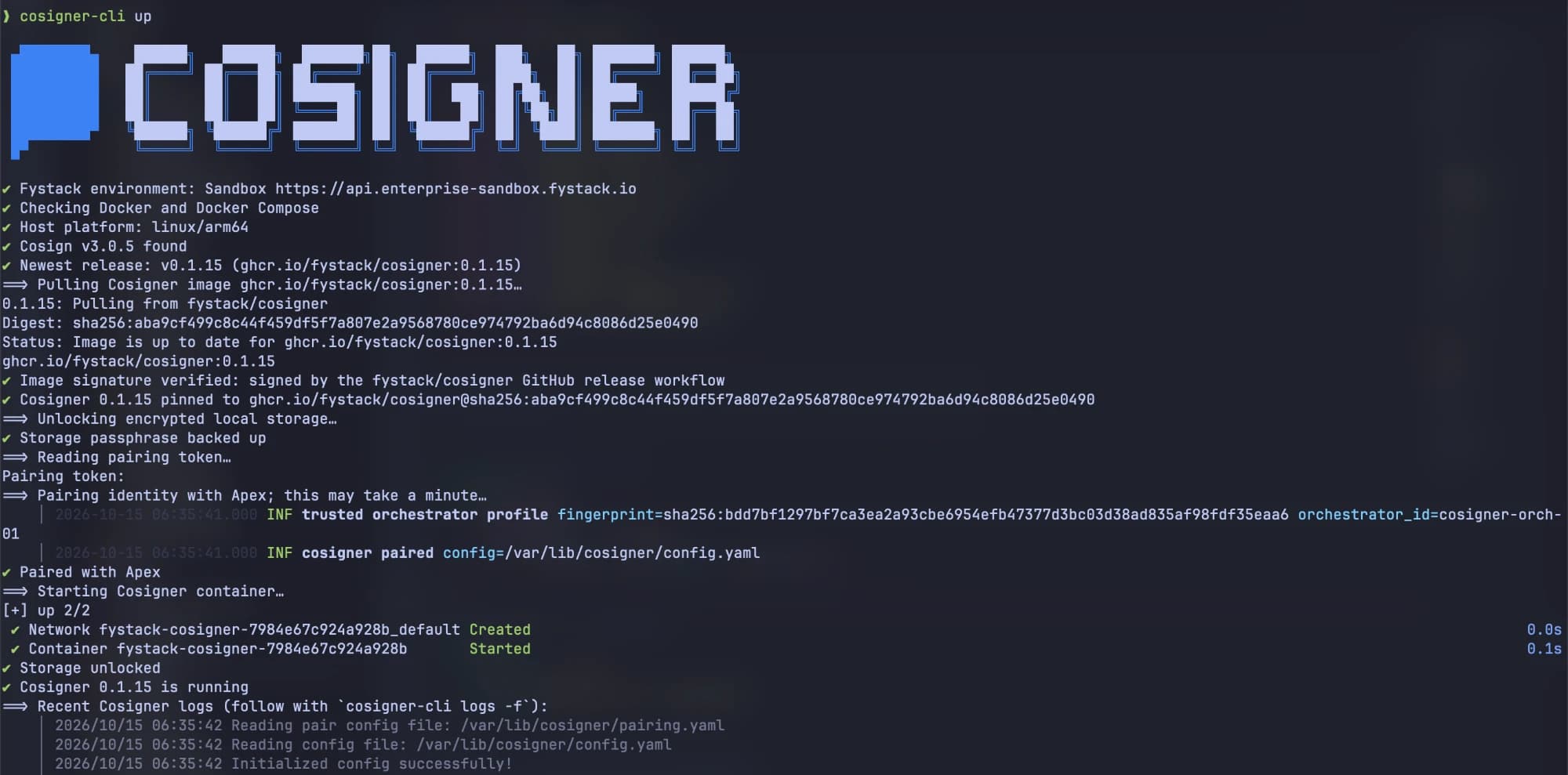
See Co-signed Wallet for setup.
HD-MPC Child Wallets
Derive child wallets from an HD-MPC master wallet.
Highlights:
- Create the HD master and its child wallets from the create-wallet modal
- Create child wallets through the API with
wallet_type: "hd_mpc", see Create a wallet - Child wallets can be used as sweep sources
- Online cosigners are required to create HD-MPC wallets
- Only workspace owners can export key shares
Before you start: set up a server cosigner first, then create the HD master from the Fystack dashboard.
Unusual API Key Activity
Every signed API key request is now scored against the key's usual behaviour.
Highlights:
- Signals include country, network (ASN), IP address, actions, request rate, and how long the key was dormant
- A flagged key sends an email and an
api_key.unusual_activitywebhook - Review a flagged key, then rotate or revoke it from the dashboard
- A new Requests tab shows the request log for each API key
Policies
Policies can now match on more of a request, and limit outflow over time.
Highlights:
- Principal conditions: user, API key, or initiator type
- Wallet conditions: wallet ID, purpose, or type
- Destination conditions: an address book entry or an internal wallet
- Velocity limits on pending and projected 24-hour outflow
- Policies for Web3 transfers and message signing
- A rule builder with entity pickers, Web3 triggers, and creation of several rules at once
See Policies.
Audit Log
The audit log now covers every workspace-scoped event, including sign-ins, sessions, and Web3 signing.
Highlights:
- Search and filter by subject, actor, and event
- Export to CSV
Plans and Usage
Plans now bill by monthly usage.
Highlights:
- Monthly usage cycles with cycle progress
- Upcoming bill with a breakdown of charges
- Usage and overage history, with overage billed on outbound volume
- Usage notices as a workspace approaches its limits
- Member limits per plan
More Updates
- Withdrawals: new
PROCESSINGstatus, filter by wallet, search, failure reasons shown in the dashboard, and an approval ID in withdrawal and approval details - Approvals: the approval modal shows progress, approver roles and identities, and an explorer link for the recipient
- Wallet settings: Web3 signing can be turned on or off per wallet
- TRON: energy and bandwidth are rented to cut TRX burn fees, with the savings shown in the withdraw form
- Analytics: shared date range across tabs, a custody breakdown, and log-scaled flow charts
- Admin console: volume charts take a date range
- Self-hosted: system admins get a daily email while the license is expired, and the binary prints its version and the latest release notes
Security
Sessions
- Stronger session token handling, with optional binding to the device (DPoP)
- Web sessions sign out after 15 minutes of inactivity
- Sign-out and password reset revoke sessions on the server
API Keys
- Replayed API key requests are rejected
- Updating an API key requires 2FA
Approvals and Signing
- Approving a policy approval request requires MFA
- Withdrawal and transaction approvals are scoped to their own wallet and workspace
- Policy rule edits and deletes go through approval
- A wallet's signing threshold can't exceed its number of human approvers
- Only pending transactions can be approved or signed, and a cancelled transaction can't be signed
- Web3 requests are checked against the EVM network before signing
Workspace Isolation
Wallet-assignment scope now applies to transaction and withdrawal reads. Payment links, KYT screening review, and sweep destinations are scoped to the caller's workspace.
Payments
Checkouts settle only with their own asset and network, can't be settled twice, and reject revoked or expired keys.
Web Dashboard
The dashboard is served with security headers and a Content Security Policy, and vulnerable dependencies were patched.
See Security for account security settings.
Fixes
- The Solana scanner stays at the chain tip, and a rescanner picks up skipped slots, so deposits are no longer missed
- Withdrawal holds lock the balance when reserved, preventing overspending under concurrent requests
- A failed withdrawal also fails its transaction, and cancelling releases the hold immediately
- Already-mined transactions are completed instead of being sped up after a broadcast timeout
- EVM native transfer gas and sweep fees are estimated against the real destination
- Users are no longer notified about withdrawals they created or approved
- Web3
method_nameresolves forpermit,setApprovalForAll, and NFT transfers
Breaking Changes
Portfolio Endpoint Removed
GET /workspaces/:id/portfolio has been removed. Use the holdings field of GET /stats instead.
Withdrawal Status PENDING Removed
Use PENDING_APPROVAL instead, and handle the new PROCESSING status.
Upgrade Notes (Self-Hosted)
- Run the SQL migrations (
migrate ... up) as well asmake migrate - MongoDB is no longer used. Statistics are computed from PostgreSQL. Keep the MongoDB container until you are sure you won't roll back, because older releases need it to start
- New features are off by default, except the Solana rescanner
Summary
Apex v0.4.0 is the cosigner and hardening release:
- Mobile cosigners and HD-MPC child wallets extend MPC wallets
- Unusual API key activity detection flags compromised keys
- Richer policies, a complete audit log, and usage-based billing
- Stronger sessions, replay protection, and MFA on approvals tighten security