API Keys
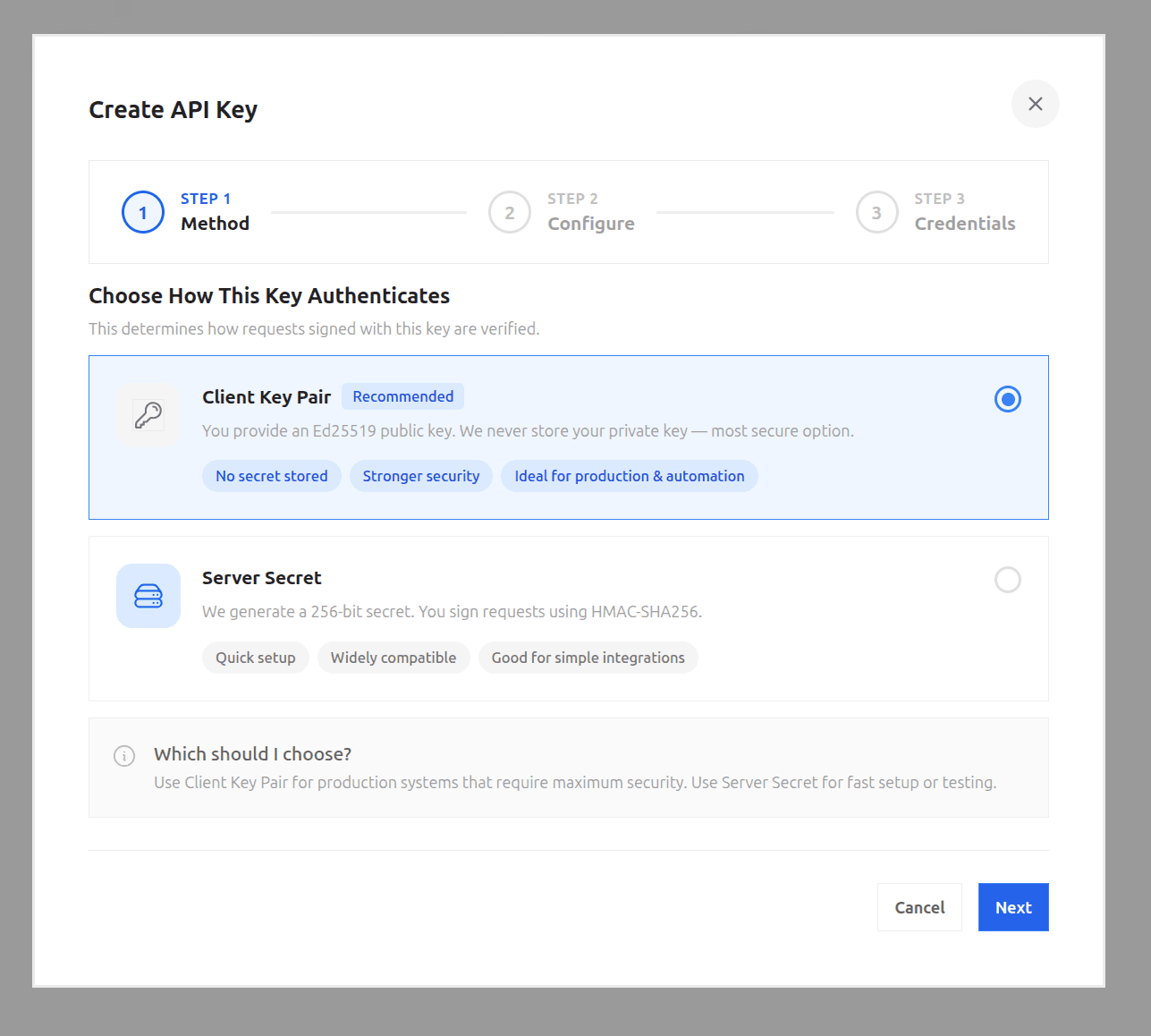
Fystack API keys use either an HMAC secret or an Ed25519 client key pair for request signing. This page covers getting the right key material for each signing scheme. See API Authentication for how signing itself works.
Prefer the Client Key Pair (Ed25519) scheme for anything beyond quick testing. The HMAC secret is a plaintext credential your application has to hold, while an Ed25519 private key can stay in an HSM or AWS KMS and never has to be exportable at all, see Client Key Pair below.
HMAC Secret
No key generation needed on your side. When you create the API key from the dashboard without registering a public key, Fystack generates the secret for you and shows it once, as a hex-encoded string. Simpler to set up than a client key pair, but the secret is a plaintext credential your application must hold, prefer Client Key Pair below where you can.
Copy api_secret immediately and store it securely, it cannot be retrieved again after creation. If it's lost, delete the key and create a new one.
Using the SDK
import { FystackSDK, Environment } from '@fystack/sdk'

const sdk = new FystackSDK({
  credentials: {
    apiKey: 'YOUR_API_KEY',
    apiSecret: 'YOUR_API_SECRET'
  },
  workspaceId: 'YOUR_WORKSPACE_ID',
  environment: Environment.Production
})
Client Key Pair
With the Ed25519 scheme, the private key never leaves your process, only the matching PEM public key is registered with Fystack when you create the API key from the dashboard. Generate the pair with whichever tool fits your setup, then paste the public key into the dashboard.
For production, generate the key in a hardware-backed store like AWS KMS or an on-prem HSM rather than as a PEM file. The private key is then non-exportable, it never touches application memory or disk, and it can't be exfiltrated even if the host is compromised. Use AwsKmsSigner (below) for this, reach for LocalPrivateKeySigner and a PEM file only for local development and testing.
Using the SDK
If you're using @fystack/sdk, pass a signer on credentials instead of a raw key, it builds the canonical string and signs each request for you. Use LocalPrivateKeySigner for an in-process PEM key, or AwsKmsSigner when the private key lives in AWS KMS:
Local PEM key
import { FystackSDK, LocalPrivateKeySigner, Environment } from '@fystack/sdk'

const sdk = new FystackSDK({
  credentials: {
    apiKey: 'YOUR_API_KEY',
    signer: new LocalPrivateKeySigner('-----BEGIN PRIVATE KEY-----\n...\n-----END PRIVATE KEY-----')
  },
  workspaceId: 'YOUR_WORKSPACE_ID',
  environment: Environment.Production
})
AwsKmsSigner requires @aws-sdk/client-kms to be installed (it's loaded lazily), or pass a preconfigured client via client instead of clientConfig. Its clientConfig is passed straight to new KMSClient(...), so it differs between local development against LocalStack/ministack and production:
Local (LocalStack / ministack)
import { FystackSDK, AwsKmsSigner, Environment } from '@fystack/sdk'

const sdk = new FystackSDK({
  credentials: {
    apiKey: API_KEY,
    signer: new AwsKmsSigner({
      keyId: 'alias/signer',
      clientConfig: {
        region: 'ap-southeast-1',
        endpoint: 'http://localhost:4566',
        credentials: { accessKeyId: 'test', secretAccessKey: 'test' }
      }
    })
  },
  environment: Environment.Production,
  debug: true
})
Production (AWS)
import { FystackSDK, AwsKmsSigner, Environment } from '@fystack/sdk'

const sdk = new FystackSDK({
  credentials: {
    apiKey: API_KEY,
    // Drop endpoint and credentials, the KMS client picks up the
    // task/instance IAM role and the real region automatically.
    signer: new AwsKmsSigner({
      keyId: 'alias/signer',
      clientConfig: { region: 'ap-southeast-1' }
    })
  },
  environment: Environment.Production,
  debug: true
})
Never hardcode accessKeyId / secretAccessKey in production, that pair in the LocalStack example is a fixed local-only credential. Let the runtime's IAM role supply credentials instead.
Not on Node.js? See Ed25519 Signing for signing the canonical string directly, with both a local PEM key and AWS KMS, in Go, Python, PHP, and Java.
Generating a key pair with OpenSSL
OpenSSL
openssl genpkey -algorithm ed25519 -out private.pem
openssl pkey -in private.pem -pubout -out public.pem
Paste the contents of public.pem into the dashboard when creating the API key, and keep private.pem for signing, pass it to the SDK as new LocalPrivateKeySigner(privateKeyPem).
Generating a key pair with AWS KMS
AWS KMS supports Ed25519 as an asymmetric signing key (ECC_NIST_EDWARDS25519). Create the key, then export the public half:
Create the key
KEY_ID=$(awslocal kms create-key \
  --key-spec ECC_NIST_EDWARDS25519 --key-usage SIGN_VERIFY \
  --query KeyMetadata.KeyId --output text)
echo "$KEY_ID"
get-public-key already returns the key as base64-encoded DER (SubjectPublicKeyInfo), which is exactly what a PEM public key wraps, so there's no need to pipe it through openssl to reformat it. Wrap the base64 output in PEM headers directly:
Export as PEM (shortcut)
{
  echo "-----BEGIN PUBLIC KEY-----"
  awslocal kms get-public-key --key-id alias/signer \
    --query PublicKey --output text
  echo "-----END PUBLIC KEY-----"
} > pub.pem
An Ed25519 public key is only 32 bytes, so the base64 output is short enough to stay on one line. For longer keys you'd need to wrap it at 64 characters (fold -w 64) to produce valid PEM, Ed25519 keys don't need that step.
The equivalent, longer route (decode to DER, then let openssl re-encode as PEM) produces an identical file:
Export as PEM (via openssl)
awslocal kms get-public-key --key-id alias/signer \
  --query PublicKey --output text | base64 -d > pub.der
openssl pkey -pubin -inform DER -in pub.der -out pub.pem
Either way you end up with:
pub.pem
-----BEGIN PUBLIC KEY-----
MCowBQYDK2VwAyEAKZ0GCR0MBIQGZowZI/1xmWjXlBy09I98JC6Tgn0l0L4=
-----END PUBLIC KEY-----
Paste that into the dashboard as the key's public key. The private key stays in KMS, use new AwsKmsSigner({ keyId: 'alias/signer' }) as shown above to sign requests, KMS never exposes the private key material.