Multi-chain Address Book
A multi-chain address book entry is a named record holding every address a single counterparty uses across the chains it supports. Withdrawals, sweep tasks, and policy rules can each reference the same record.
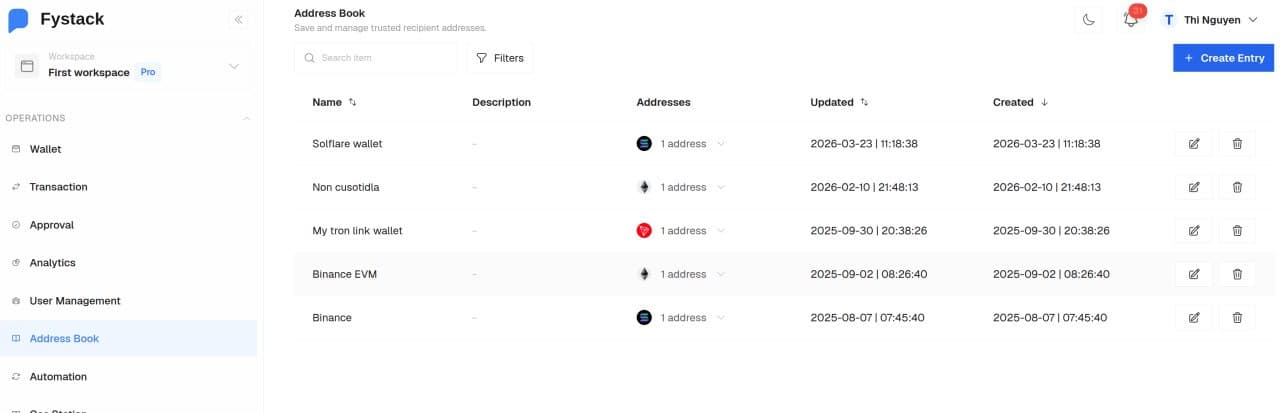
Only the Owner and Admin roles can create, edit, or delete an address book entry. Every other role can select saved entries when building a withdrawal, a sweep task, or a policy rule.
Creating an Entry
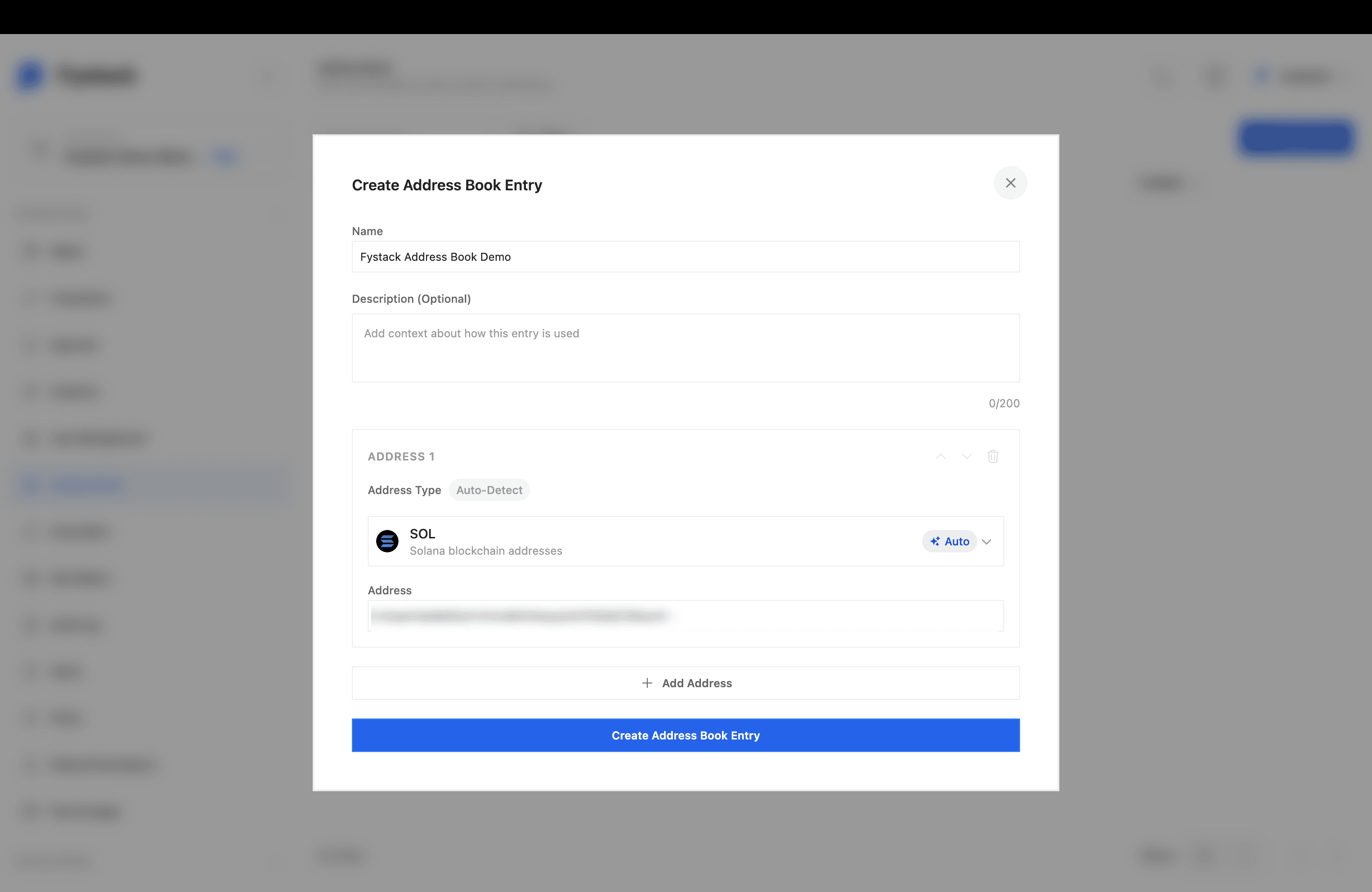
Open Address Book from the sidebar and select Create Entry.
- Name: how the entry appears everywhere it is selected later
- Description: optional context, up to 200 characters
- Address: paste the address into the first address block
Address Type Detection
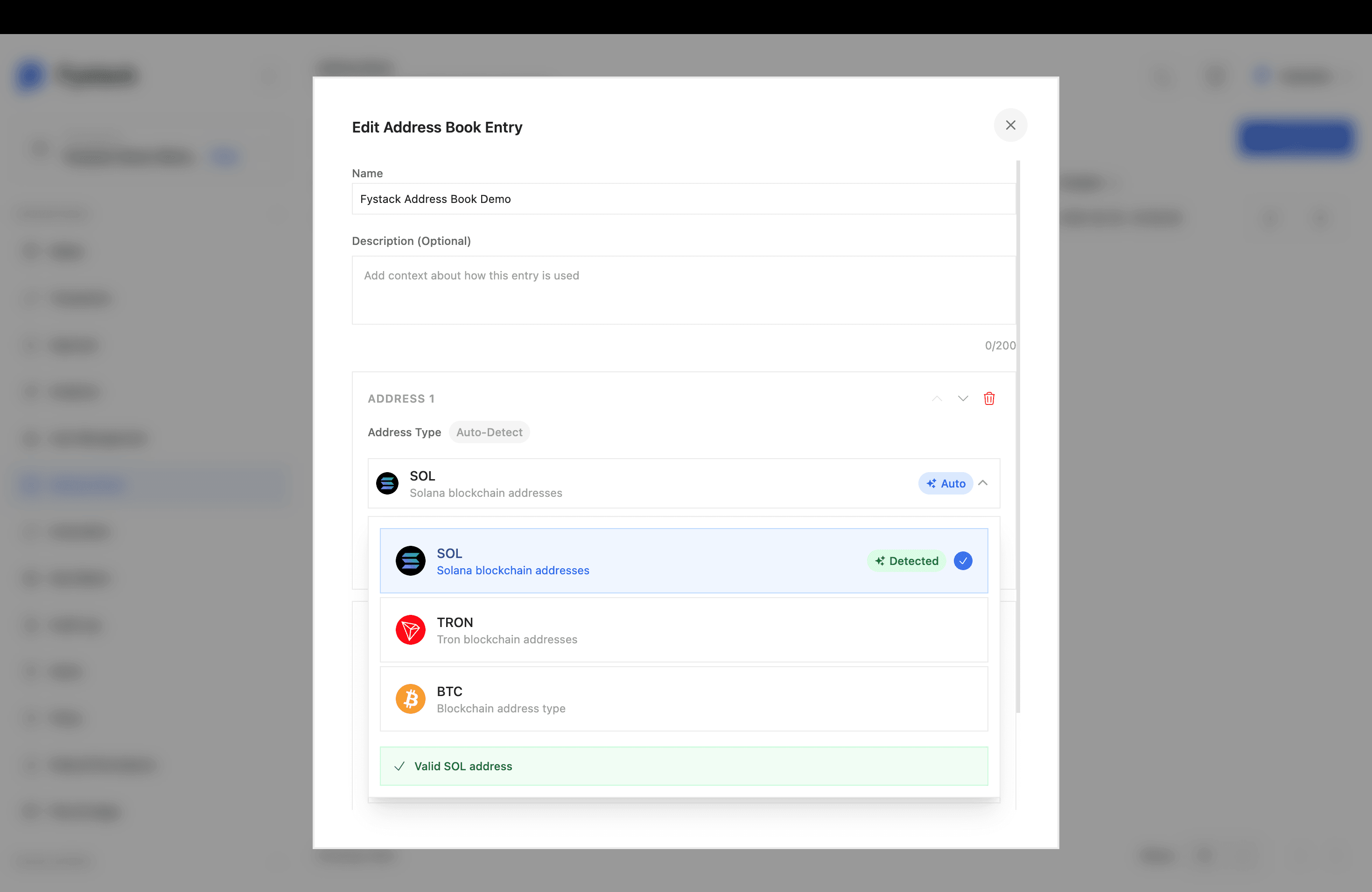
Pasting an address sets its type for you. The Auto-Detect badge marks the type as read from the address, and the dropdown confirms the match with a Detected tag and a validation line below the list.
| Address Type | Covers |
|---|---|
| EVM | EVM-compatible networks, including Ethereum, Polygon, and BSC |
| SOL | Solana blockchain addresses |
| TRON | Tron blockchain addresses |
| BTC | Bitcoin blockchain addresses |
An address that does not match its selected type returns an error. Select a different type from the dropdown when the address belongs to a chain the detector did not pick.
Adding Addresses to One Entry
Select Add Address to append another block. Each block carries its own type and address, and the arrows on a block move it up or down the list.
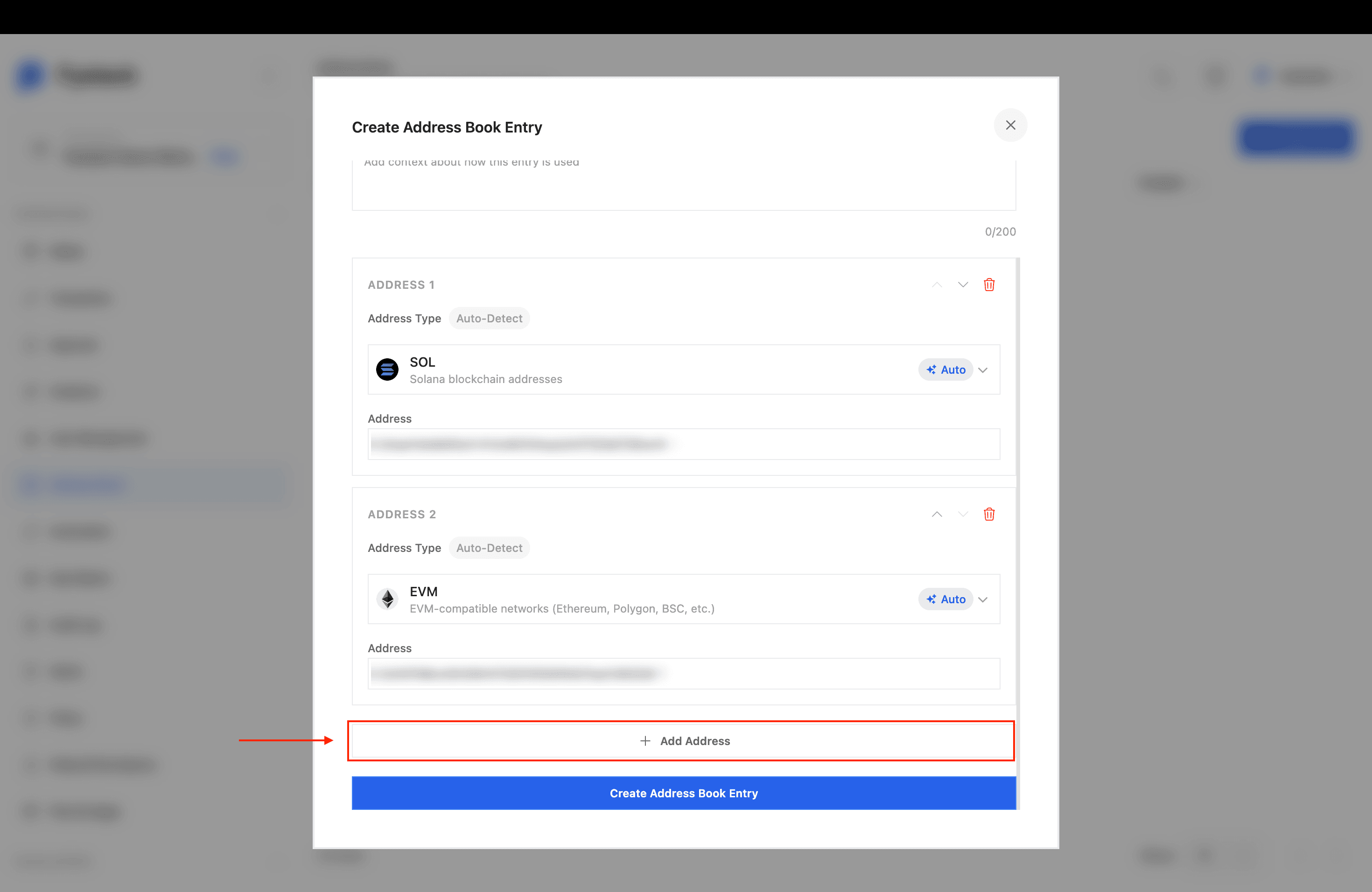
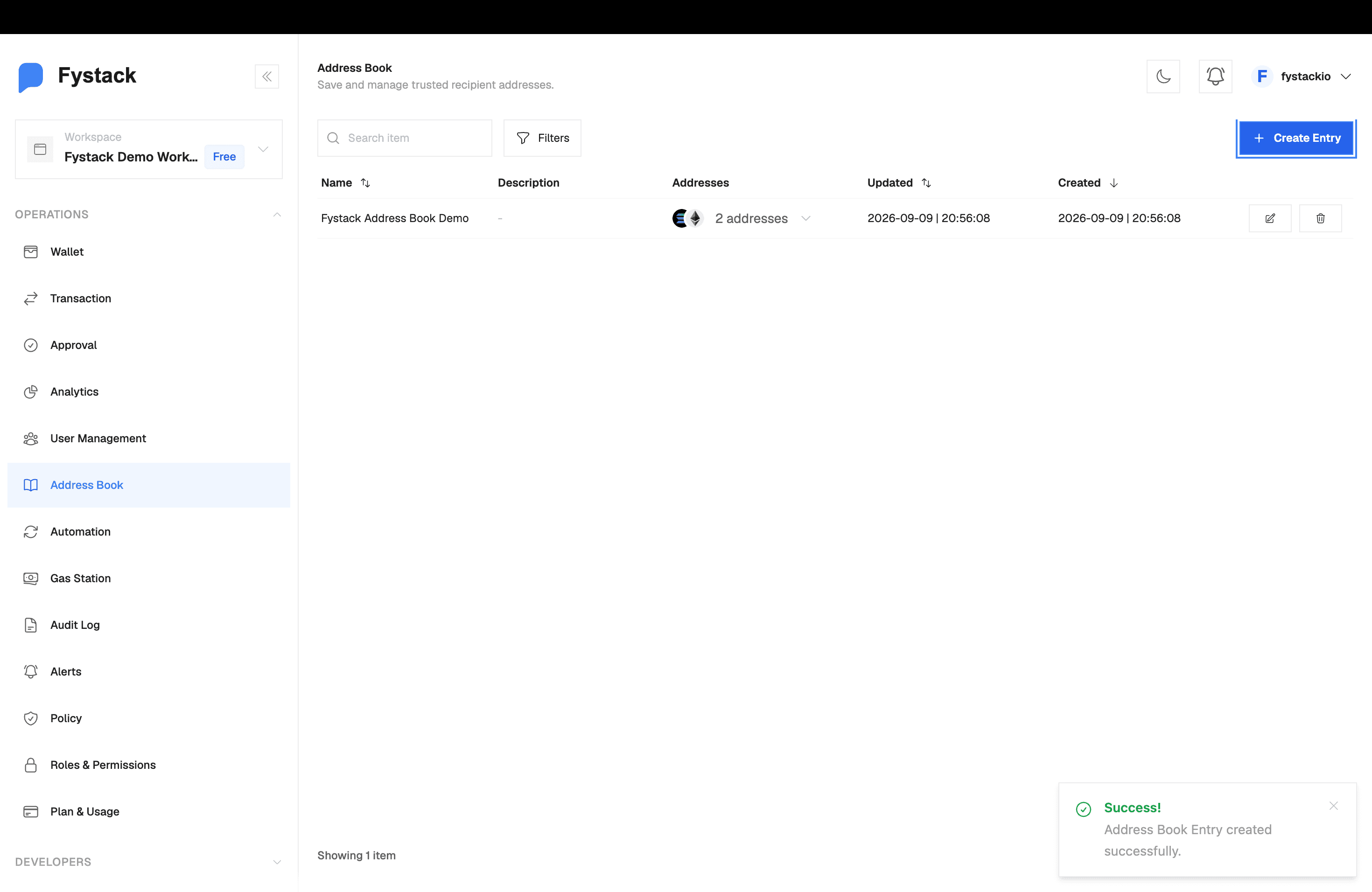
The saved entry then shows one row with a chain icon per address.
Editing and Deleting an Entry
Each row on the Address Book list carries an edit icon and a delete icon. The edit dialog matches the creation dialog and opens with the saved addresses in place. Addresses can be added, reordered, or removed there.
Where the Address Book Applies
| Feature | How it uses saved addresses |
|---|---|
| Withdrawal | Select a saved recipient when submitting a withdrawal request |
| Automation | Set a sweep task destination to Address Book in place of an internal wallet |
| Policies | Evaluate rules against the Whitelisted address and Address age fields |
Best Practices
- Name entries after the counterparty, so one record stays readable as you add addresses to it
- Keep every address for one counterparty in a single entry, so a policy rule covers all of them at once
- Verify the full address with the counterparty through a separate channel before saving it
- Use the description to record who owns the address and who approved adding it
- Review entries when a counterparty rotates addresses, and delete records you no longer send to