Withdrawal
Send funds from a Fystack wallet to an external address. Withdrawals go through a multi-step form, including address risk screening and category tagging, before entering an approval queue based on your workspace's signing threshold.
Overview
The withdrawal flow is designed around maker-checker controls. A Proposer or Admin initiates the withdrawal; one or more Signers must then approve it before it is broadcast on-chain. The number of required approvals is defined by the wallet's threshold configuration.
How to Create a Withdrawal
Step 1: Navigate to Your Wallet and Click Send
In the left sidebar, click Wallet. Select the wallet you want to send from, then click the Send button in the top area of the wallet overview.
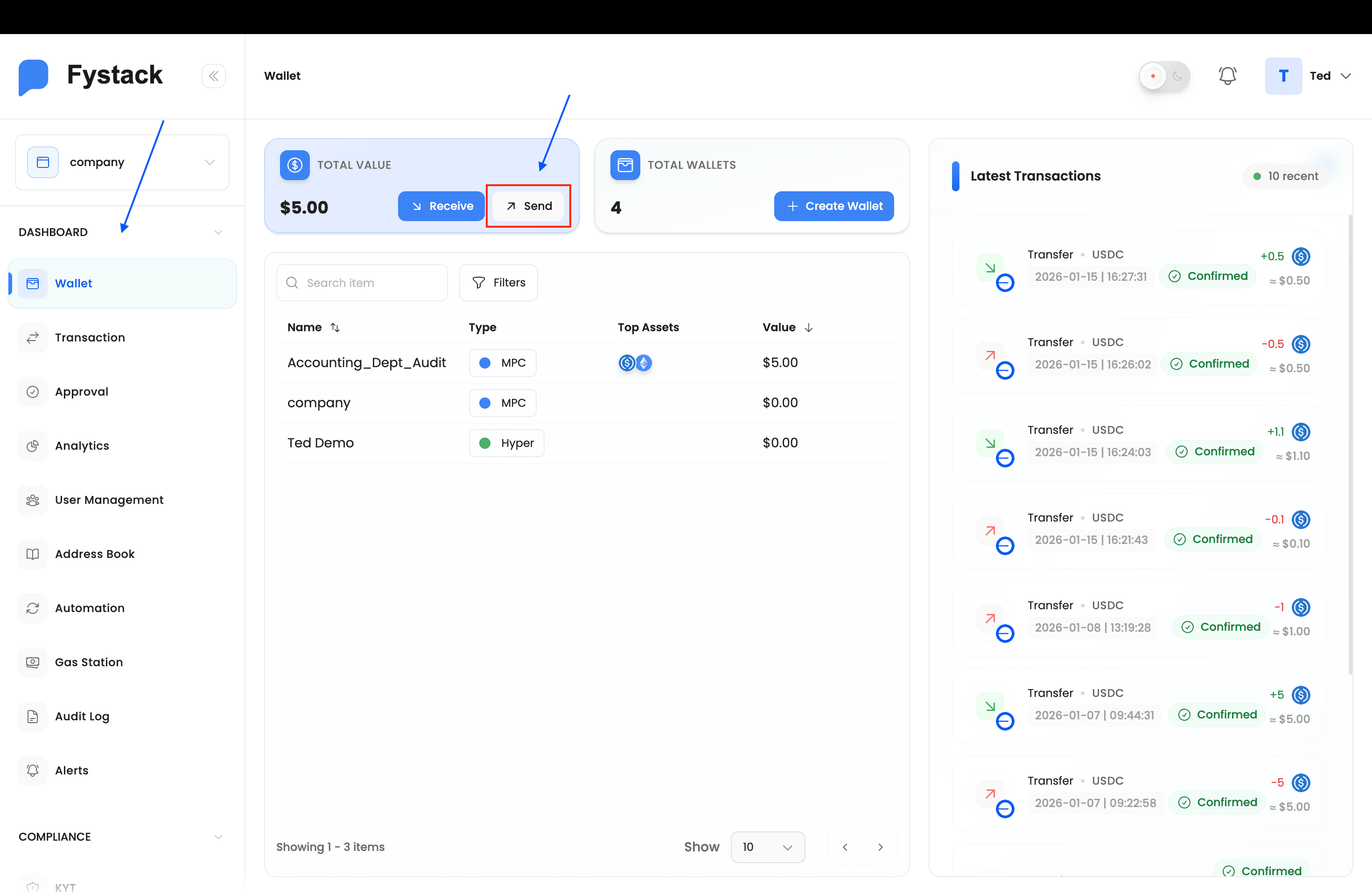
Step 2: Fill in the Withdrawal Details
A Withdraw modal opens with four required fields:
- Wallet: the source wallet (pre-selected based on where you clicked Send)
- Asset: the token and network to send (e.g. USDC on Base)
- Amount: the amount to send; the available balance and estimated network fee are shown below the field
- Recipient Address: type an address directly or select one from your Address Book
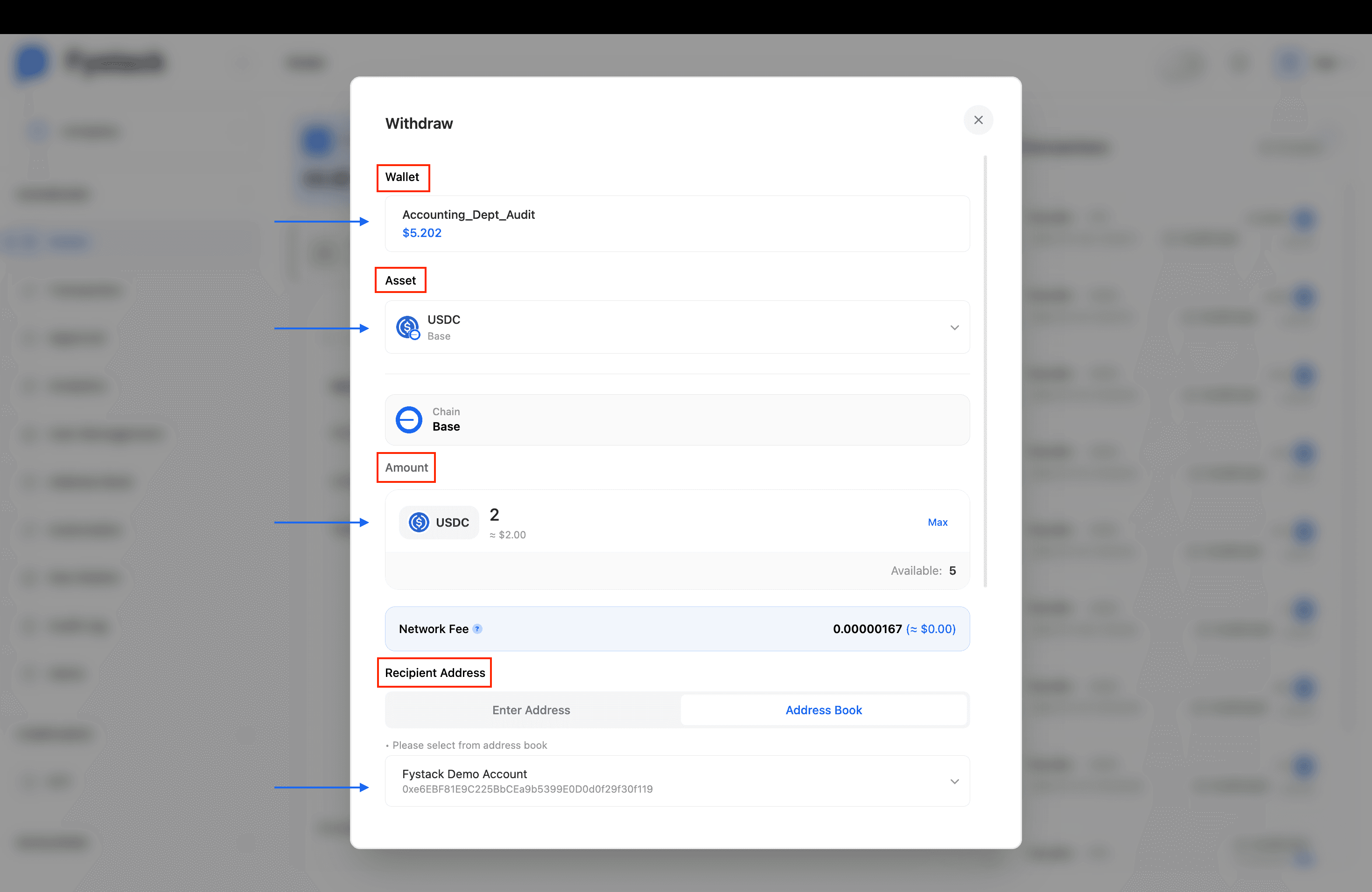
The Network Fee is deducted from the native gas token of the selected network, not from the asset being sent. Ensure your wallet holds enough of the gas token to cover the fee.
Step 3: Review the Address Risk Analysis
After selecting a recipient address, Fystack automatically performs an Address Risk Analysis powered by DD.xyz. The panel displays:
- Risk Score: a percentage from 0% (low risk) to 100% (high risk)
- Current Status: Low / Medium / High
- On-chain data: total transactions, current balance, and date of first transaction
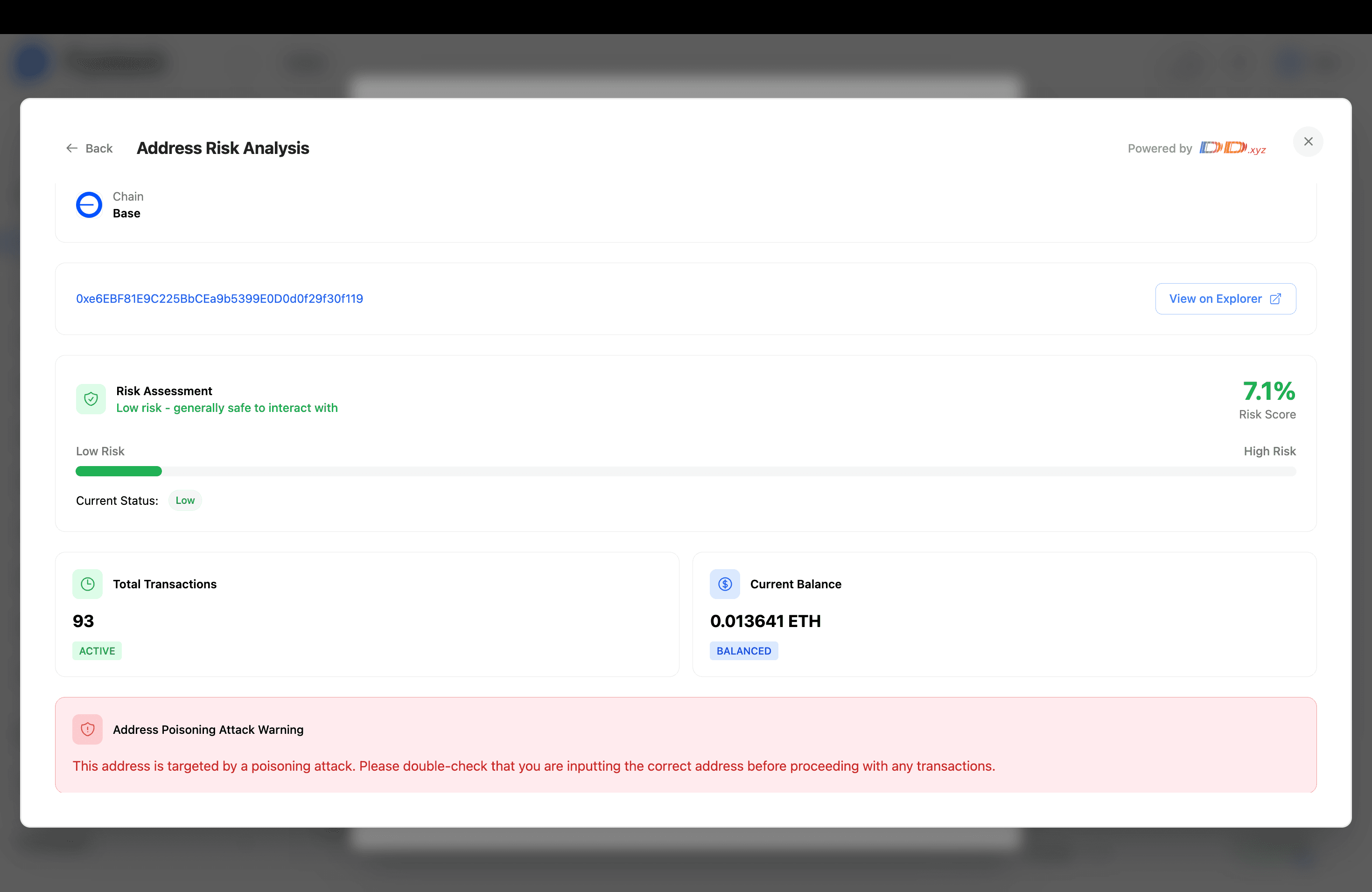
If an Address Poisoning Attack Warning appears, the recipient address has been flagged as a target of address poisoning, a scam where attackers send tiny transactions from look-alike addresses to trick you into copying the wrong address from your history. Double-check the full address character by character with your counterparty before proceeding.
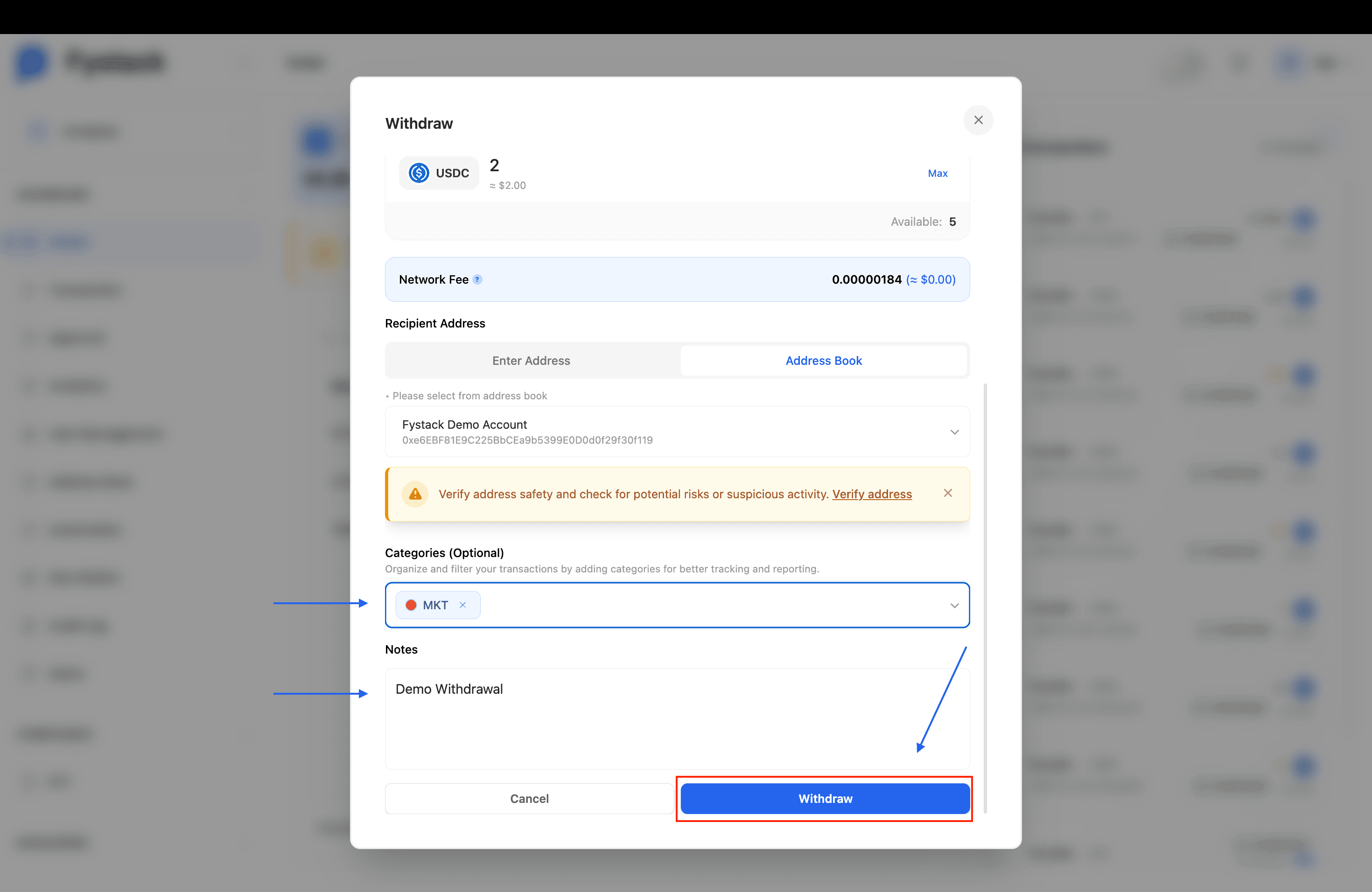
Step 4: Select Categories and Add Notes, then Click Withdraw
Before submitting, tag the transaction for reporting purposes:
- Categories (Optional): assign one or more categories (e.g. MKT, Ops). You can create new categories with a custom name and color on the spot.
- Notes: add a free-text note that will be visible to approvers and in the transaction history.
An inline warning is shown reminding you to verify address safety before proceeding. Once satisfied, click the Withdraw button to submit the transaction for approval.
Step 5: Approval Status
Once submitted, an Approval Status modal appears summarising the transaction details and listing the required approvers. Each approver shows a Pending Approval status until they act.
If you are one of the required signers, you can Approve or Cancel the transaction directly from this modal.
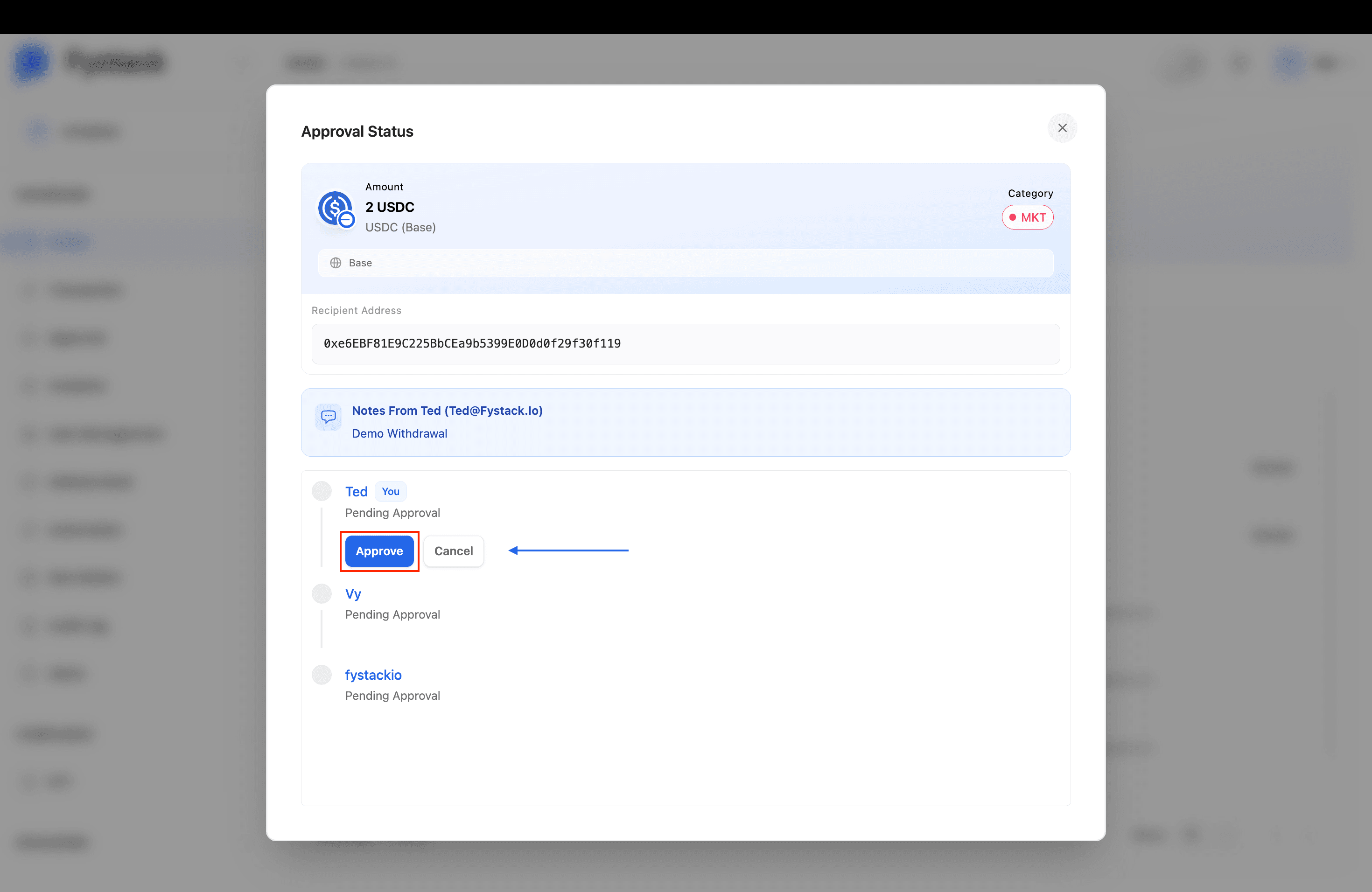
The transaction is broadcast on-chain only after the required number of signers (as defined by the wallet threshold) have approved it.
Step 6: Track the Withdrawal in the Withdrawals Tab
Navigate to the wallet, then open the Withdrawals tab. Your new transaction appears at the top of the list with a Pending Approval badge. The wallet header also reflects the amount now On Hold until the threshold is met.
Other approvers can click Review to open the Approval Status modal and cast their vote.
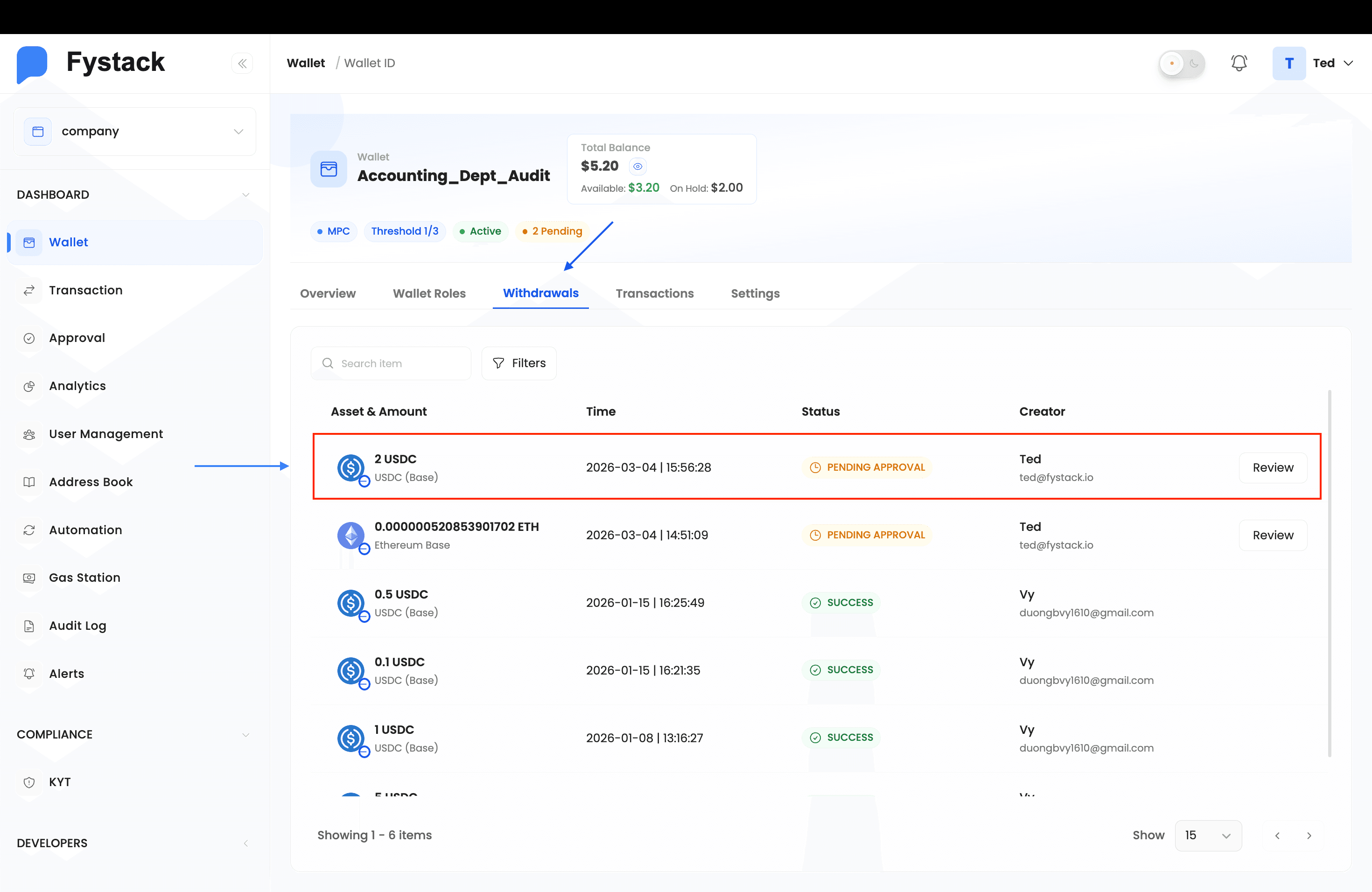
Step 7: Confirm in the Transactions Tab
Once the required approvals are collected, switch to the Transactions tab in the same wallet. The withdrawal appears at the top with a Completed status, confirming it has been broadcast on-chain.
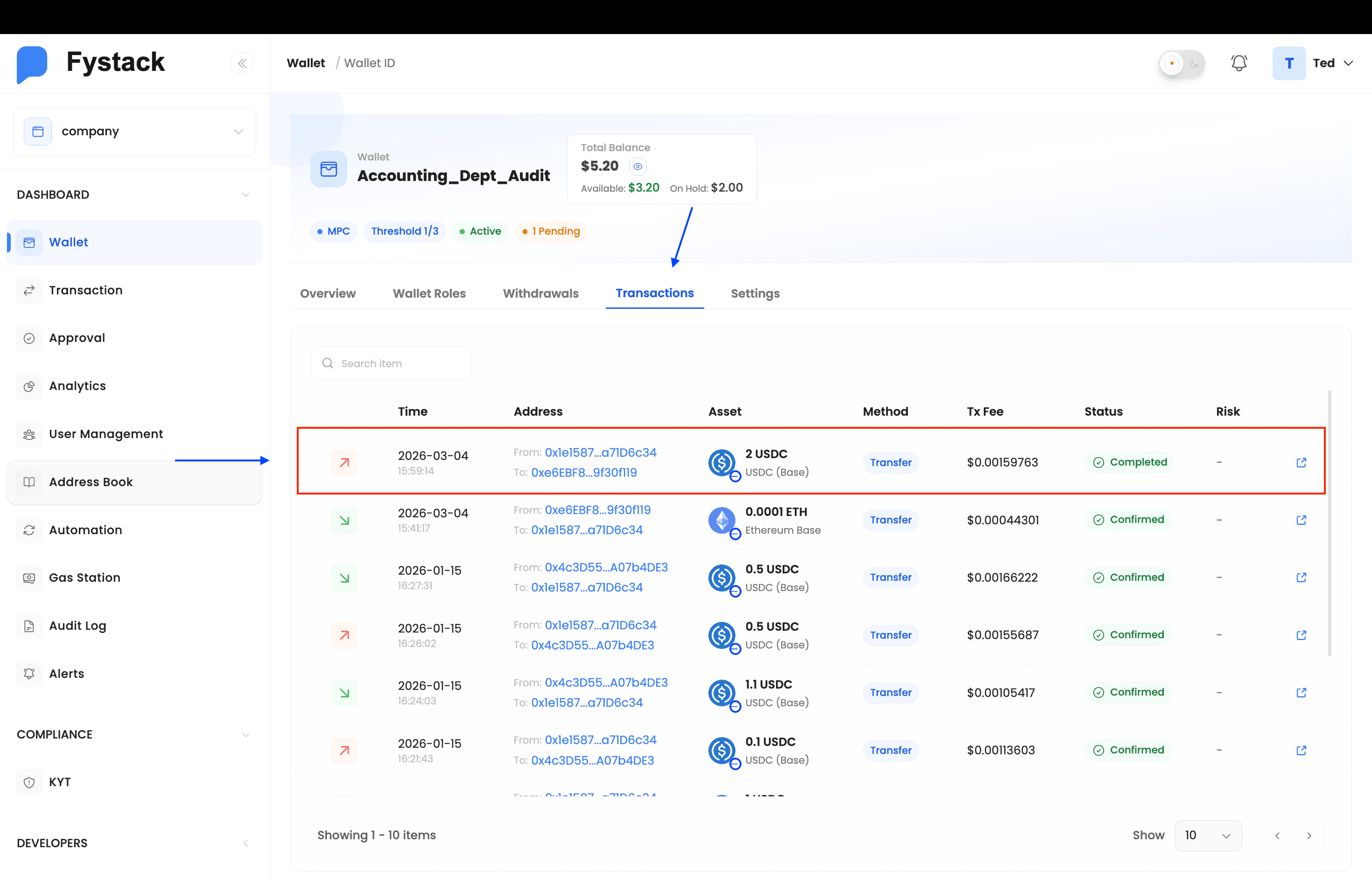
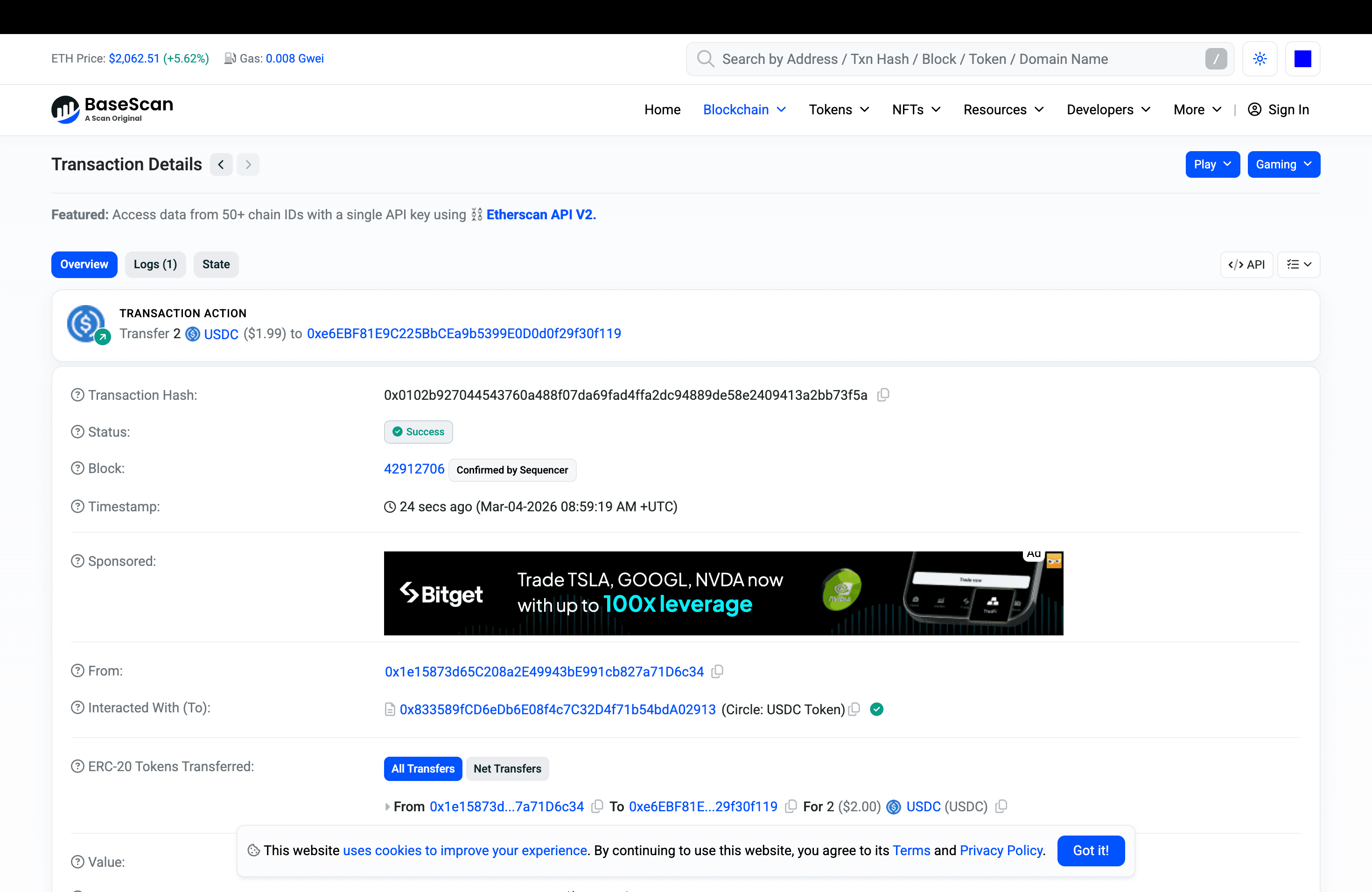
Step 8: Verify On-Chain via the Block Explorer
Click the external link icon on the transaction row to open the transaction on BaseScan (or the relevant block explorer for your network). Here you can confirm:
- Status: Success
- Transaction Hash: the unique on-chain identifier
- Block: the block number and confirmation by the sequencer
- Amount and recipient: verify the correct amount reached the correct address
Withdrawal Statuses
| Status | Meaning |
|---|---|
| Pending Approval | The transaction has been proposed and is awaiting the required number of signer approvals. Funds are placed on hold during this period. |
| Completed | The threshold was met and the transaction was successfully broadcast and confirmed on-chain |
| Cancelled | A signer or the proposer cancelled the transaction before the threshold was reached. Held funds are released back to the available balance. |
Best Practices
- Always verify the recipient address independently before submitting, on-chain transactions are irreversible
- Use the Address Book to store and reuse trusted addresses, reducing the risk of manual entry errors
- Take Address Poisoning Attack Warnings seriously, always confirm the full address with your counterparty through a separate channel
- Add a Note describing the purpose of the withdrawal to help approvers make informed decisions and maintain a clear audit trail
- Assign a Category to every withdrawal to keep your transaction reporting organised
- After approval, cross-check the transaction on the block explorer to confirm the correct amount reached the correct address