Mpcium TypeScript 客户端
一个用于与 Mpcium 多方计算(MPC)服务交互的 TypeScript 客户端,可在多条区块链上生成和管理钱包并签名交易。
客户端签名
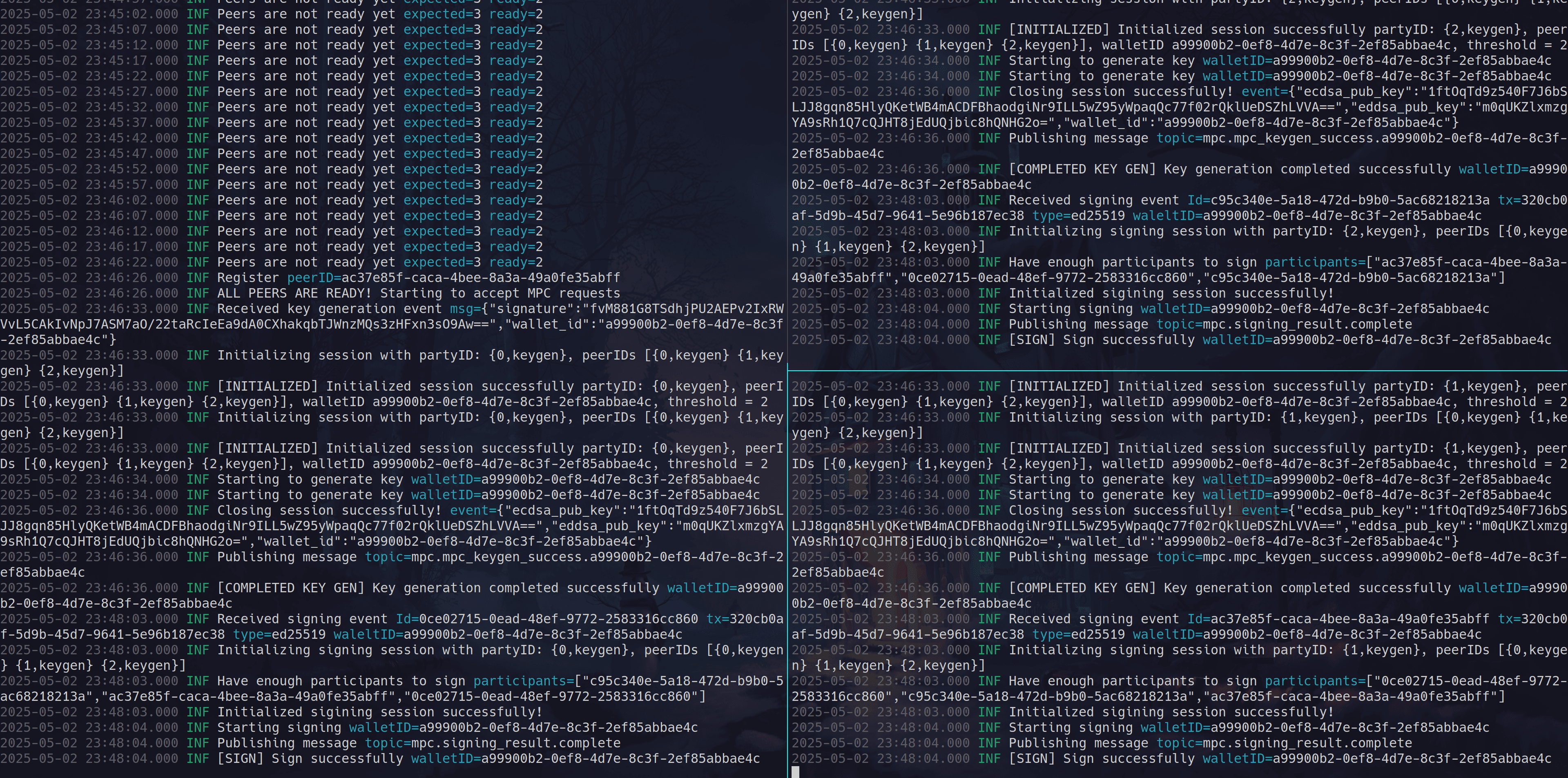
MPCIUM 节点协同签名交易
前提条件
重要提示:在使用此 TypeScript 客户端之前,你需要先搭建 Mpcium MPC 节点。这些节点提供了本客户端所连接的底层 MPC 基础设施。 请按照安装与设置说明部署所需的 MPC 节点。通常,在使用此客户端之前,你需要运行多个节点(例如 2-of-3 门限配置下的 3 个节点)。
概述
Mpcium 是一项使用多方计算提供安全密钥管理和交易签名的服务。通过此客户端库,你可以:
- 在不暴露私钥材料的情况下生成密钥
- 为多个区块链网络签名交易
- 通过事件订阅接收密码学操作的结果
支持的密钥类型与区块链
- ECDSA:Bitcoin、Ethereum 及其他 EVM 兼容链
- EdDSA:Solana、Polkadot、Cardano 及其他基于 EdDSA 的链
安装
npm install @fystack/mpcium-ts
GitHub 上的代码示例
创建客户端
- 在使用此客户端之前,用户需要先通过 mpcium-cli 生成
event_initiator.key
import { connect } from "nats";
import { MpciumClient } from "@fystack/mpcium-ts";

async function setupClient() {
  // First, establish NATS connection
  const nc = await connect({ servers: "nats://localhost:4222" });

  // Create client with key path
  const mpcClient = await MpciumClient.create({
    nc: nc,
    keyPath: "./event_initiator.key",
  });

  return mpcClient;
}
加密客户端(推荐用于生产环境)
const mpcClient = await MpciumClient.create({
  nc: nc,
  keyPath: "./event_initiator.key.age",
  password: "your-secure-password", // Stored and load secure vault like KMS, Hashicorp vault
});
生成钱包
import { connect } from "nats";
import { MpciumClient } from "@fystack/mpcium-ts";
import fs from "fs";

async function generateWallet() {
  const nc = await connect({ servers: "nats://localhost:4222" });
  const mpcClient = await MpciumClient.create({
    nc: nc,
    keyPath: "./event_initiator.key",
  });

  // Store wallets in a file (for testing only)
  const walletsFile = "./examples/wallets.json";
  const wallets = fs.existsSync(walletsFile)
    ? JSON.parse(fs.readFileSync(walletsFile, "utf8"))
    : {};

  // Subscribe to wallet creation results
  mpcClient.onWalletCreationResult((event) => {
    console.log("Received wallet creation result:", event);

    // Store wallet info with wallet_id as key
    wallets[event.wallet_id] = {
      wallet_id: event.wallet_id,
      ecdsa_pub_key: event.ecdsa_pub_key,
      eddsa_pub_key: event.eddsa_pub_key,
    };

    // Save to file (in production, use a database)
    fs.writeFileSync(walletsFile, JSON.stringify(wallets, null, 2));
    console.log(`Wallet ${event.wallet_id} saved to wallets.json`);
    console.log(
      "NOTE: File storage is for testing only. Use a database in production."
    );
  });

  // Create the wallet
  const walletID = await mpcClient.createWallet();
  console.log(`CreateWallet request sent, wallet ID: ${walletID}`);

  // Wait for result and handle cleanup
  process.on("SIGINT", async () => {
    await mpcClient.cleanup();
    await nc.drain();
    process.exit(0);
  });
}
签名 Solana 交易
import { connect } from "nats";
import { MpciumClient, KeyType } from "@fystack/mpcium-ts";
import {
  Connection,
  Transaction,
  SystemProgram,
  PublicKey,
  LAMPORTS_PER_SOL,
} from "@solana/web3.js";
import fs from "fs";

async function signSolanaTransaction(walletId) {
  const nc = await connect({ servers: "nats://localhost:4222" });
  const mpcClient = await MpciumClient.create({
    nc: nc,
    keyPath: "./event_initiator.key",
  });

  // Get wallet information from wallets.json
  const walletsFile = "./examples/wallets.json";
  const wallets = JSON.parse(fs.readFileSync(walletsFile, "utf8"));
  const wallet = wallets[walletId];

  if (!wallet) {
    throw new Error(`Wallet ${walletId} not found`);
  }

  // Connect to Solana devnet
  const connection = new Connection(
    "https://api.devnet.solana.com",
    "confirmed"
  );

  // Create public key from wallet data
  const publicKeyBuffer = Buffer.from(wallet.eddsa_pub_key, "base64");
  const fromPublicKey = new PublicKey(publicKeyBuffer);

  // Create transaction
  const transaction = new Transaction().add(
    SystemProgram.transfer({
      fromPubkey: fromPublicKey,
      toPubkey: new PublicKey("4LKprD1XvTuBupHqWXoS42XsEBHp7qALo3giDBRCNhAV"),
      lamports: LAMPORTS_PER_SOL * 0.01,
    })
  );

  // Get recent blockhash
  const { blockhash } = await connection.getLatestBlockhash();
  transaction.recentBlockhash = blockhash;
  transaction.feePayer = fromPublicKey;

  // Serialize transaction message
  const serializedTx = transaction.serializeMessage();

  // Listen for signing results
  mpcClient.onSignResult((event) => {
    if (event.result_type === 1) {
      // Success
      const signature = Buffer.from(event.signature, "base64");
      transaction.addSignature(fromPublicKey, signature);

      if (transaction.verifySignatures()) {
        connection
          .sendRawTransaction(transaction.serialize())
          .then((txId) => console.log(`Transaction sent: ${txId}`));
      }
    }
  });

  // Send signing request
  await mpcClient.signTransaction({
    walletId: walletId,
    keyType: KeyType.Ed25519,
    networkInternalCode: "solana:devnet",
    tx: Buffer.from(serializedTx).toString("base64"),
  });
}
测试
1. 生成 MPC 钱包
npx ts-node ./examples/generate-wallet.ts
Connected to NATS at localhost:4222
Subscribed to wallet creation results
CreateWallet request sent for wallet: a99900b2-0ef8-4d7e-8c3f-2ef85abbae4c
CreateWallet sent, awaiting result... walletID: a99900b2-0ef8-4d7e-8c3f-2ef85abbae4c
Received wallet creation result: {
  wallet_id: 'a99900b2-0ef8-4d7e-8c3f-2ef85abbae4c',
  ecdsa_pub_key: '1ftOqTd9z540F7J6bSLJJ8gqn85HlyQKetWB4mACDFBhaodgiNr9ILL5wZ95yWpaqQc77f02rQklUeDSZhLVVA==',
  eddsa_pub_key: 'm0qUKZlxmzgYA9sRh1Q7cQJHT8jEdUQjbic8hQNHG2o='
}
Solana wallet address: BTC9kvDchPvu84iMzLbhYBg5bWma4QHDAFumpF41ErjT
Ethereum wallet address: 0x309bdE4d218e44E4a391f4c43Bf6226156D3255b
Wallet saved to wallets.json with ID: a99900b2-0ef8-4d7e-8c3f-2ef85abbae4c
2. 向钱包转入 Solana
- 使用 Phantom 在 devnet 上向该钱包转入 SOL
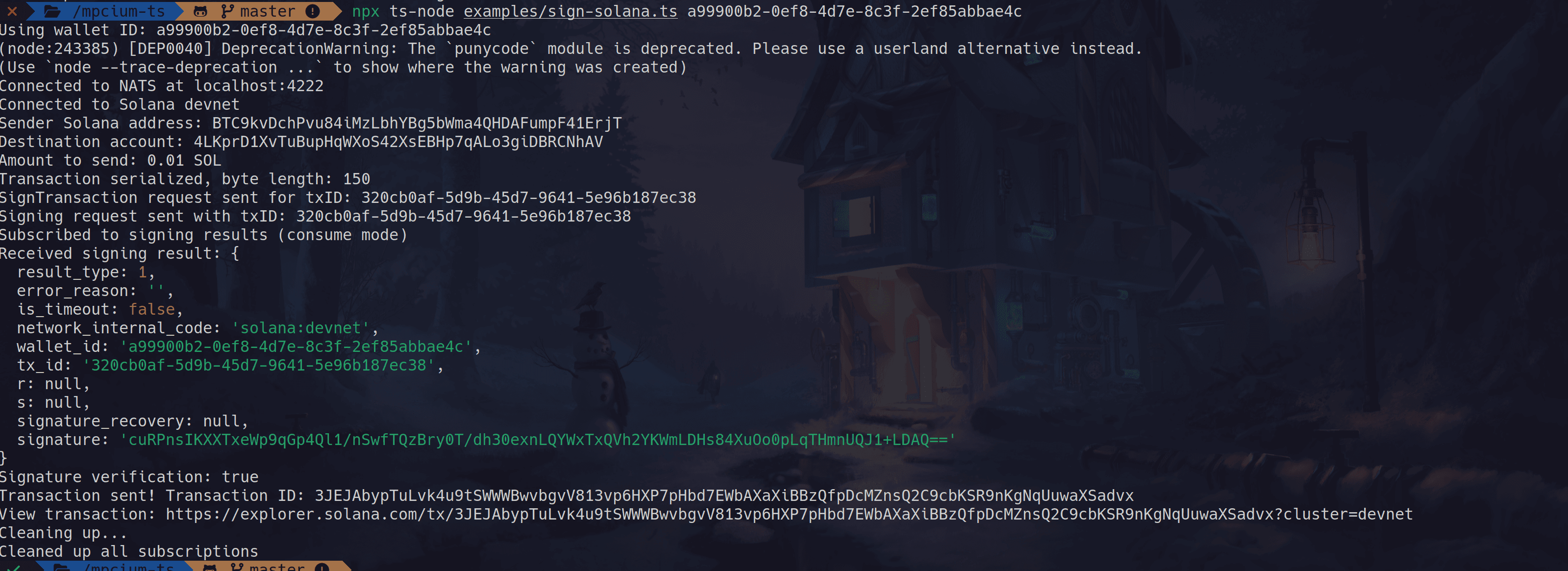
3. 签名 Solana 交易
npx ts-node ./examples/sign-solana.ts a99900b2-0ef8-4d7e-8c3f-2ef85abbae4c
4. 签名 Ethereum 交易
npx ts-node ./examples/sign-eth.ts a99900b2-0ef8-4d7e-8c3f-2ef85abbae4c